Feature Preview: Interiors
A deep dive into interiors in StepHarvest. Step inside your farmhouse, coop, barn, and cellar. Arrange the furniture, paint the walls, lay your floors tile by tile, and shape each room into a space that feels like home.
A Room You Live In
The farmhouse isn't just a door on the side of your farm. It's a room you can step into and shape into something that feels like yours.
Interiors are coming together. Walls to paint, floors to tile, furniture to arrange, all of it across the farmhouse, coop, barn, and cellar. The farm is where you grow things. The farmhouse is where you come home to. Here's how it all comes together.
Step inside
Tap the farmhouse door and you're in. Same tap-to-walk feel as the farm. Doors and stairs lead through to the cellar and other rooms, and your coop and barn work the same way, you can step inside those too. Anywhere there's a door, there's a room you can make yours.
Decorate mode
Hit the Decorate button and the room becomes editable. From there it's all hands-on:
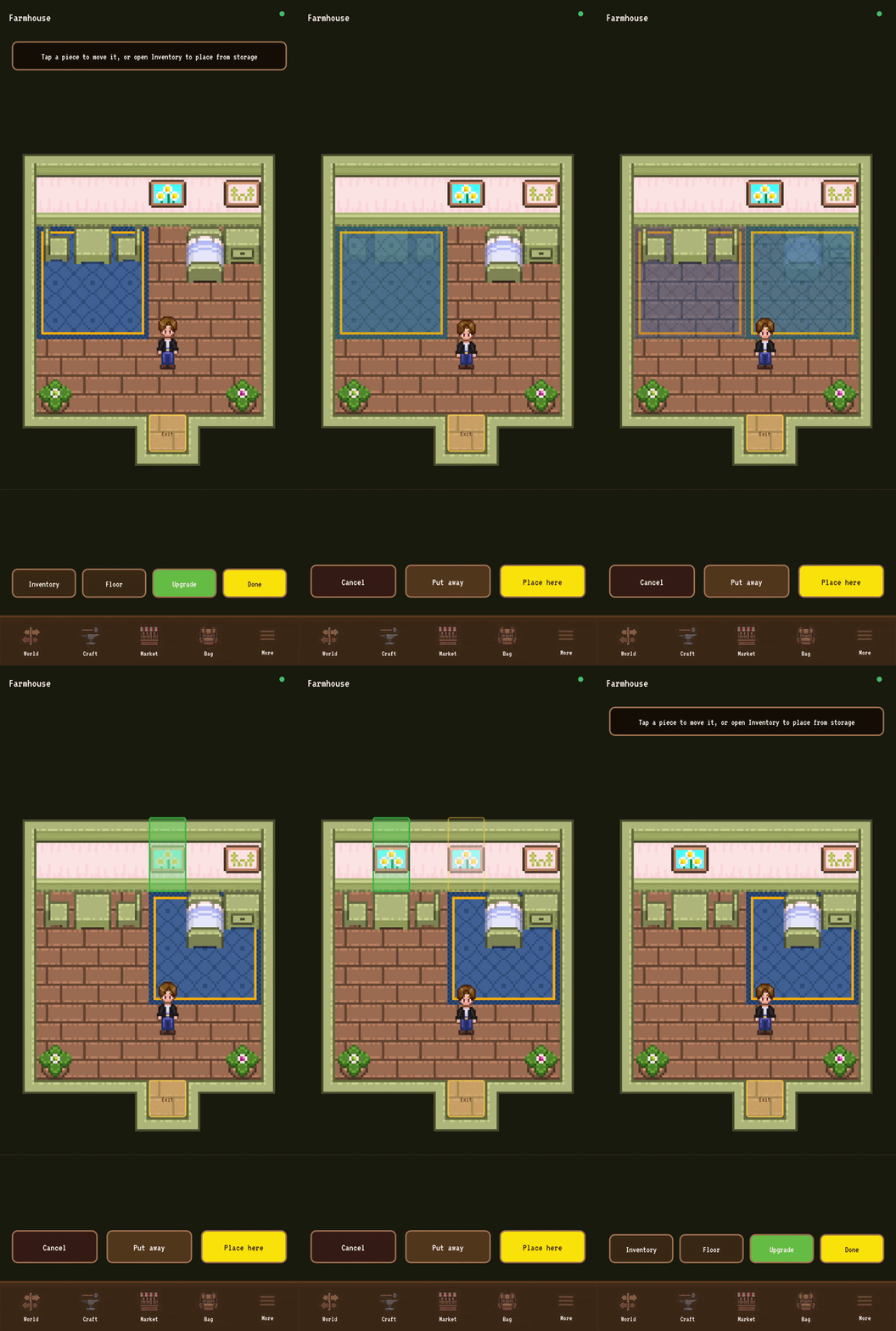
Move things around. Tap a piece of furniture, then tap where you want it. A ghost preview shows you whether the spot works (green) or not (red). Tap once more to drop it in place.
Put things away. Double-tap any piece and it goes into Storage. From there you can take it back out, or move it to a different room entirely.
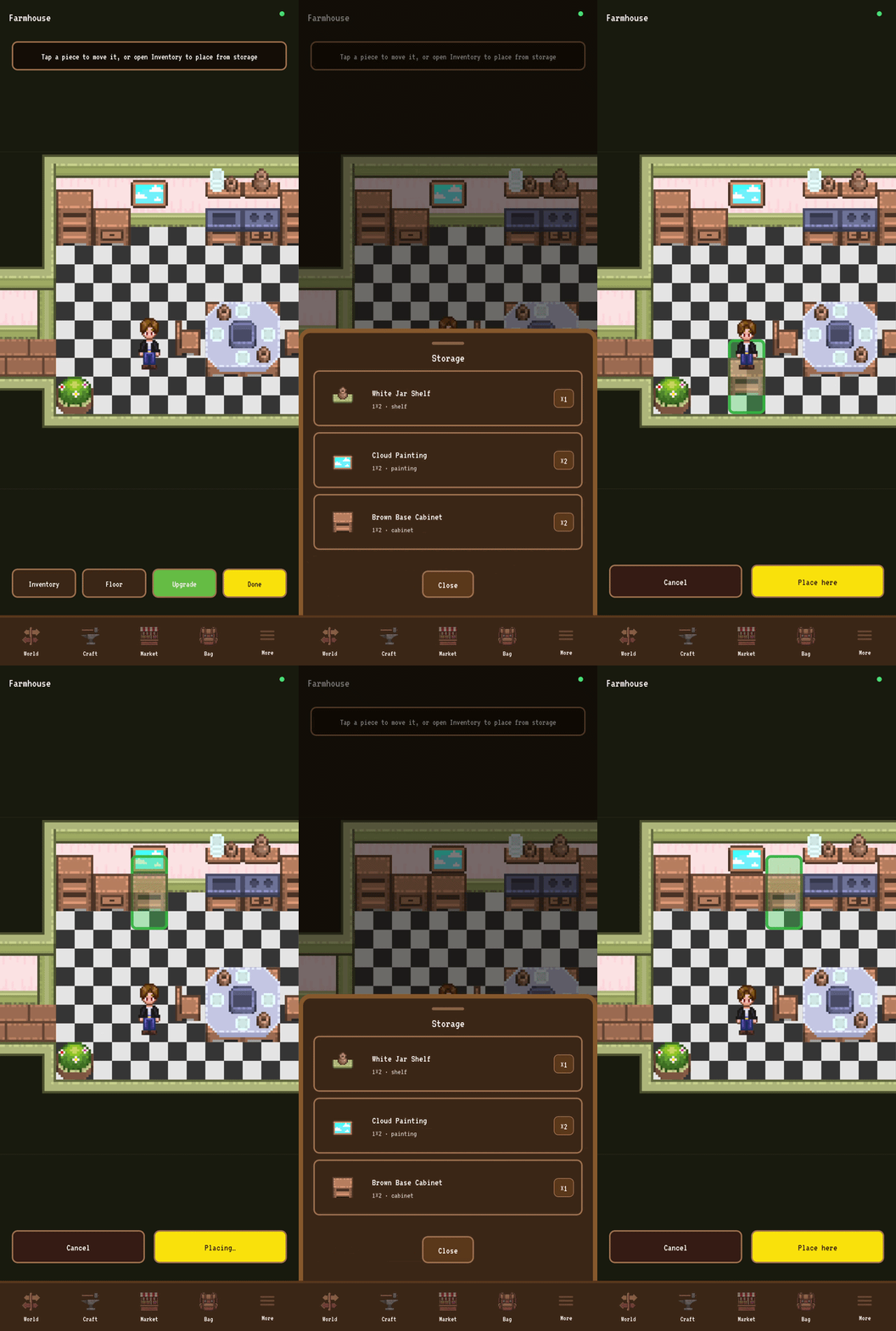
Pull from Storage. Open your furniture inventory, pick a piece, place it. Pieces have orientations where it makes sense, so a bed can face down, left, or right, and a chair can face all four directions.
You can stack things sensibly. A chair on a rug works fine. A chair on a chair does not. The room also won't let you box yourself away from your own door, that's checked every time you place something. The little rules are there so the space stays a space, not a puzzle.
The furniture catalogue
Beds, chairs, small square tables, bedside tables, big 2x2 kitchen tables. Carpets in a few colors and sizes. Big and small plants. Paintings for the walls. Shelves with jars or plates. A full kitchen set with stoves, washing stations, and base and high cabinets in two tones.
60+ hand-drawn pieces and counting. More are landing all the time, and the catalogue will keep growing through closed beta and beyond.
Where furniture comes from
Your first farmhouse comes pre-decorated with the basics: a bed, a table, a chair, a plant, a rug. That's yours from minute one, no setup required.
New pieces come from a few places. Crafting recipes once you've got the right workbench. NPC vendors in town. Quest rewards. Anything you put away goes into Storage and is yours to redeploy whenever, in whichever room makes sense.
Walls
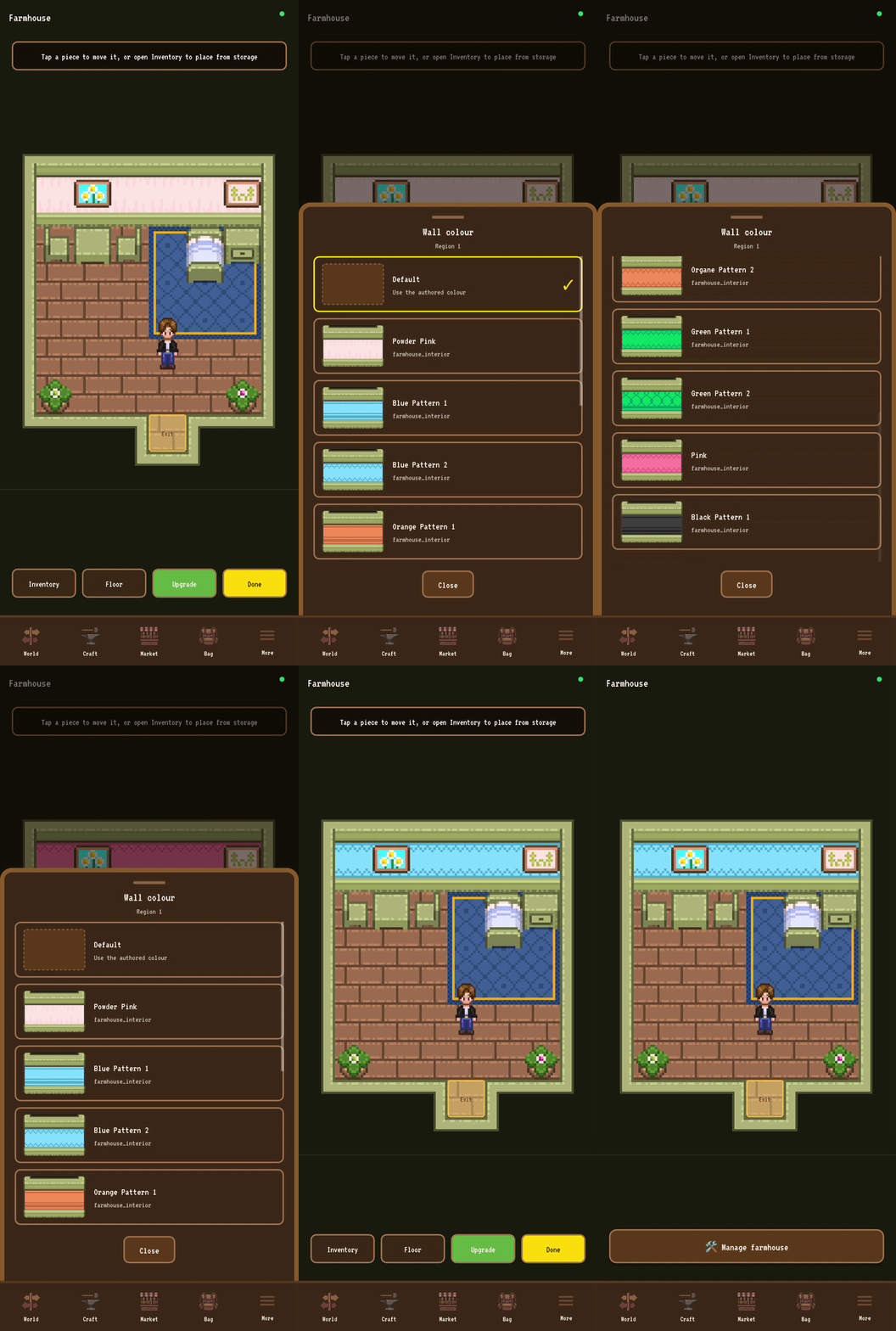
Walls aren't a single color, they're regions. Every connected stretch of wall is its own paintable region, so you can have one color behind the bed and a different one behind the kitchen if that's the vibe.
Tap any wall in Decorate mode and a swatch sheet opens with the palettes available for that room. Pick one, the whole region recolors instantly. Pick "Default" to revert. Mix and match across the room as much as you want.
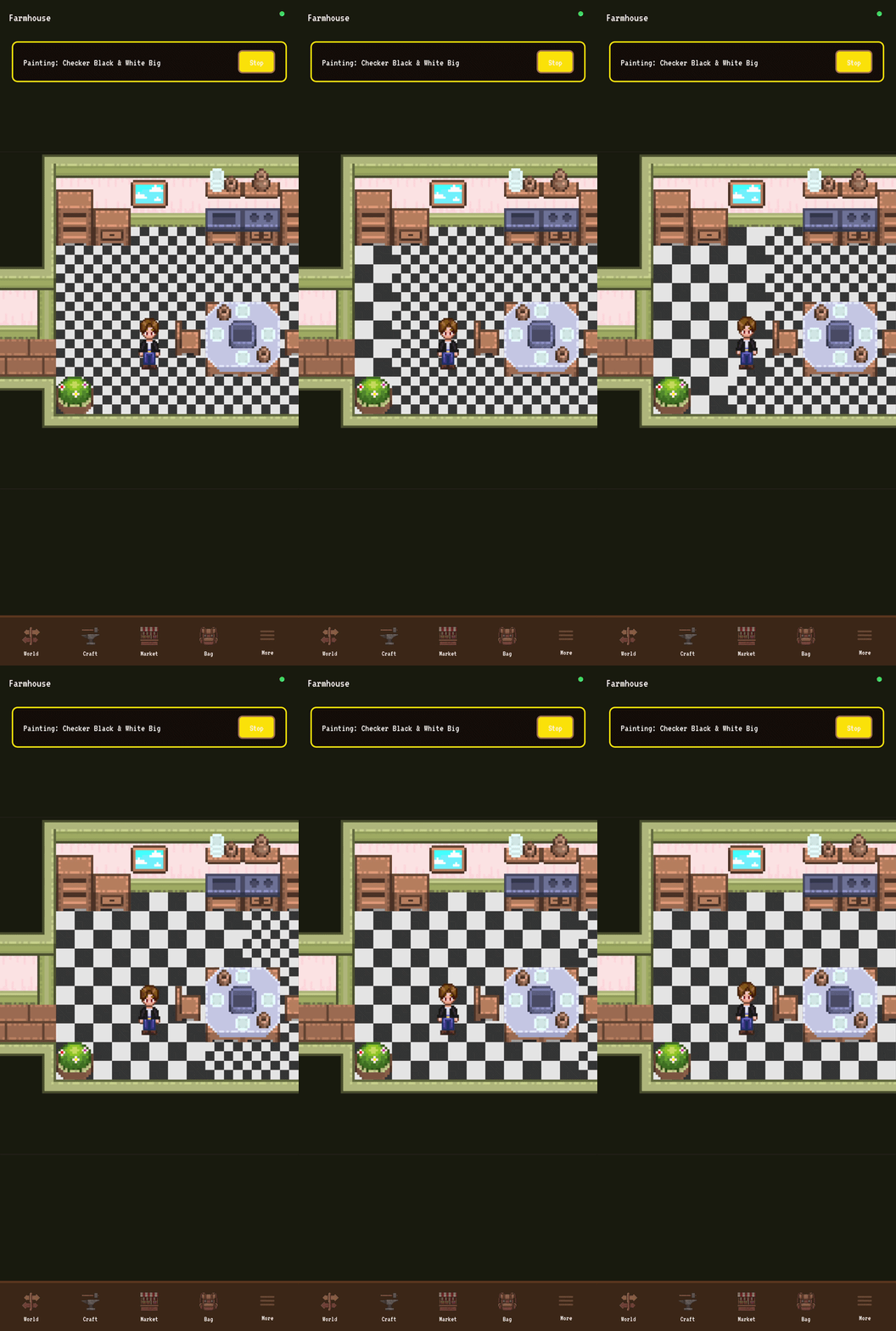
Floors, tile by tile
Floors are paintable down to the individual tile. Pick a floor style, then drag your finger across the room to paint. Drag fast, no problem, the brush fills in the gaps so you don't get stripes. Walls stay walls, the brush skips them automatically.
Want a stone path from the door to the kitchen, a rug-shaped patch of warm wood under the dining table, and cool tile in the back corner? You can do that. Tile by tile, however you want.
Default floor is the eraser. It takes any cell back to its original look.
Farmhouse upgrades
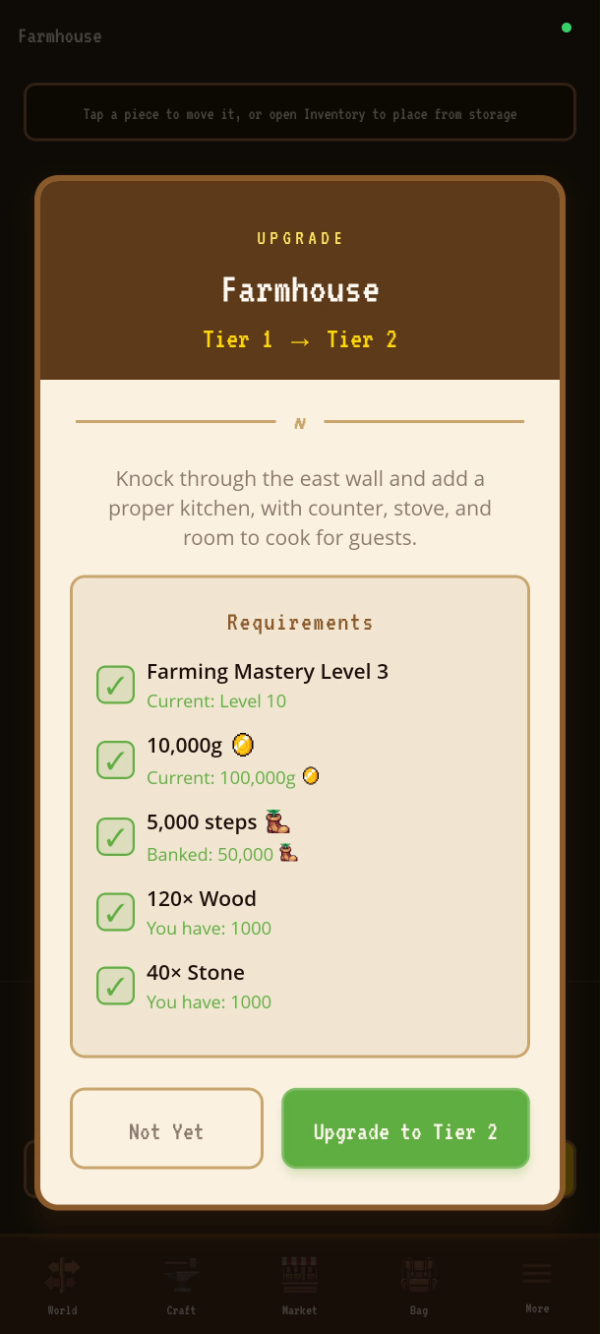
The farmhouse expands as you grow. When you upgrade, the new floor plan is bigger, but everything you painted, every piece you placed, every wall you recolored, all of it carries over. Your home grows around your work, it doesn't reset it.
Each tier also brings something new to do at home:
Tier 2 - Kitchen. Adds the kitchen room and unlocks a new set of crafting recipes you can only make at home.
Tier 3 - Bedroom. Adds the bedroom and grants a Well Rested bonus that slightly increases your daily luck.
Coops, barns, and the cellar
The same system runs everywhere you can step inside. Coop, barn, the cellar under the farmhouse. Different rooms, same tools. If you can walk in, you can decorate.
The coop and barn are the buildings that house farm animals, which is a whole feature on its own. I'll have a separate article on animals soon. For now, just know that the rooms they live in are yours to shape the same way as the farmhouse.
Quiet by design
Interiors aren't a goal you're chasing or a number you're growing. They're the room you stand in between everything else. Tend your farm in the morning, head into the mines, come back, step inside, and the place you walk into is shaped exactly the way you wanted it.
That's the whole point. The corner of the world that's only yours.